
In today’s digital age, home networking isn’t just a luxury; it’s a necessity. Imagine a world where your devices talk to each other seamlessly, where streaming your favorite show doesn’t buffer like it’s stuck in a time warp, and where your smart fridge can tell you when you’re out of milk. That’s the magic of home networking.
What Is Home Networking?
Home networking involves connecting multiple devices inside a residence to share resources and communicate efficiently. It enables devices such as computers, smartphones, smart TVs, and printers to interact without physical connections. A home network typically includes various components, including routers, switches, and access points.
The central hub in most home networks is the router. Routers receive internet signals and distribute them to connected devices. This distribution occurs through wired connections or wireless signals, enabling flexibility in device placement. A good router handles multiple devices simultaneously, ensuring stable internet connections.
IP addresses allow each device within the network to identify itself uniquely. These addresses facilitate data transmission, determining where information should be sent within the network. Assigning static IP addresses for important devices enhances security and reliability, making it easier to manage configurations.
Security remains a significant concern in home networking. Implementing strong passwords for routers and using encryption, such as WPA3, protects data from unauthorized access. Regularly updating firmware on network devices also minimizes vulnerabilities.
Home networking supports convenience in daily activities. Streaming content on smart TVs and sharing files between computers becomes seamless. Smart appliances utilize home networks to improve functionality, allowing users to control devices remotely. Overall, a well-configured home network enhances the user experience and transforms how individuals interact with technology at home.
Importance Of Home Networking
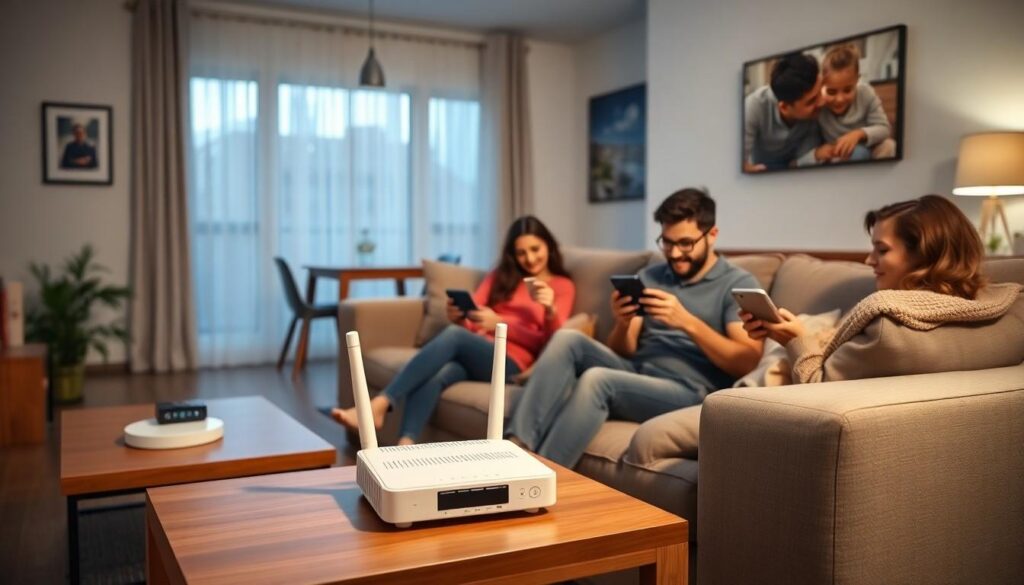
Home networking plays a crucial role in modern households. Understanding its significance leads to enhanced connectivity, security, and convenience.
Benefits Of Home Networking
Improved internet access ranks among the top benefits. Homes with strong networks enjoy seamless device communication, which supports streaming and online gaming. Enhanced security measures help protect personal data from cyber threats, ensuring a safer online experience. Added convenience arises from the ability to control smart home devices from a single platform. Cost savings appear through shared resources, such as printers and files, eliminating the need for multiple subscriptions or devices.
Common Uses Of Home Networking
Common applications of home networking include streaming services, file sharing, and smart home integration. Families frequently use networks to stream content from services like Netflix or Hulu without interruption. Sharing files between devices simplifies collaboration for school or work projects. Smart home devices, such as thermostats and security cameras, depend on reliable networks to function efficiently. Wireless printing also benefits from network connectivity, allowing multiple devices to send print jobs to a single printer effortlessly.
Types Of Home Networks
Home networks typically fall into two main categories: wired and wireless. Each type offers distinct advantages based on user needs and preferences.
Wired Networks
Wired networks utilize Ethernet cables to establish connections between devices. These connections provide stable and reliable internet access. Low latency and high-speed data transmission characterize this setup, which often benefits activities like online gaming and streaming. Many contemporary homes implement wired networks by using routers and switches to distribute connections efficiently. Configuration can be straightforward, allowing multiple devices, including computers and gaming consoles, to connect seamlessly. This networking option does require physical cabling, which can limit placement flexibility. However, for users prioritizing performance, a wired network remains an excellent choice.
Wireless Networks
Wireless networks rely on Wi-Fi technology to connect devices without the need for cables. This option offers significant convenience, as it allows devices to connect from various locations throughout the home. Coverage varies based on the router’s range and any potential interference from walls or other electronic devices. Wireless networks support multiple devices simultaneously, perfect for households with numerous gadgets. Security measures such as WPA3 encryption safeguard data, ensuring users remain protected online. Also, these networks facilitate easy integration of smart home devices. For individuals valuing mobility and ease of access, wireless networking proves ideal in today’s connected environments.
Components Of Home Networking
Home networking comprises various components that work together to create efficient connections within a household. Understanding these elements helps in optimizing network performance.
Routers
Routers act as the central hub for a home network. They distribute internet signals to various devices, enabling wired and wireless connections. Each device gets a unique IP address, ensuring secure and efficient data transmission. Most routers come with built-in security features, including firewalls, to protect against cyber threats. Advanced models may also offer multiple bands for improved speed and range, catering to diverse household needs. Prioritizing router performance significantly enhances user experiences, especially during activities like streaming and online gaming.
Switches And Hubs
Switches and hubs facilitate the connection of multiple wired devices within a home network. Unlike hubs, which broadcast data to all connected devices, switches intelligently direct data to specific devices, minimizing unnecessary network traffic. This capability enhances overall network efficiency and speed. Switches often come with multiple ports, accommodating various devices like computers, gaming consoles, and printers. They play a crucial role in larger setups, where numerous devices require stable connections. Using switches strategically supports seamless communication and high-speed data sharing among devices.
Network Cables
Network cables are essential for establishing reliable wired connections in home networking setups. Categories like Ethernet cables ensure high-speed data transmission, minimizing latency during online activities. Devices that demand stable connections, such as gaming consoles or smart TVs, benefit from using quality Ethernet cables. Varieties include Cat5e, Cat6, and Cat6a, each offering different speeds and performance levels. While installations may require care, effective use of network cables can enhance overall network reliability and performance, catering to a home’s specific connectivity needs.
Setting Up A Home Network
Setting up a home network involves several straightforward steps to ensure seamless connectivity for all devices.
Basic Steps For Installation
Begin by selecting a suitable location for the router, ideally at the center of the home for optimal wireless coverage. Connect the router to the modem using an Ethernet cable, which allows internet access. Next, power on the router and wait for the indicator lights to indicate a stable connection. Access the router’s settings via a web browser using the provided IP address, typically found on the device itself. Configure the network name and password, ensuring both are secure. Use WPA3 encryption for enhanced security. After completing these steps, connect devices like smartphones, tablets, and computers either wirelessly or through Ethernet cables.
Troubleshooting Common Issues
Addressing common networking issues requires a systematic approach. If the internet connection fails, check the modem and router status lights for indications of problems. Restarting both devices often resolves temporary connectivity issues. When connection drops frequently, relocating the router to a central position can improve signal strength. For devices that won’t connect, verifying the Wi-Fi password is essential. Updating firmware for the router may fix bugs and enhance performance. If all else fails, resetting the router to factory settings restores original configurations, allowing for a fresh start.
Home networking is essential for creating a seamless and efficient digital environment. With the rise of smart devices and increased internet usage, understanding how to set up and maintain a reliable network is crucial. Whether opting for a wired or wireless solution, individuals can enjoy enhanced connectivity and security.
By prioritizing strong passwords and encryption methods, users can safeguard their personal data while enjoying the benefits of a connected home. A well-structured home network not only simplifies daily tasks but also enriches the overall technology experience. Embracing home networking opens the door to a smarter and more convenient lifestyle.