
In today’s tech-savvy world, a reliable home network is as essential as a good cup of coffee on a Monday morning. Whether it’s streaming the latest series or video chatting with Grandma, a solid connection keeps everything running smoothly. But let’s face it—setting up a home network can feel like trying to assemble IKEA furniture without the instruction manual.
Fear not! This guide breaks down the basics of home networking in a way that even your pet goldfish could understand. From routers to Wi-Fi extenders, it’s time to demystify the jargon and get your home connected. Get ready to transform your digital chaos into a seamless online experience, all while keeping your sanity intact. Who knew networking could be this fun?
Understanding Home Networking Basics
Home networking consists of various components essential for connecting devices. Routers serve as the central hub, directing traffic between the internet and connected devices. They allow users to access wireless internet throughout the home. Single routers suffice for smaller homes, while larger spaces may require additional equipment.
Wi-Fi extenders amplify the signal, ensuring coverage in hard-to-reach areas. These devices boost weak signals, making streaming and browsing smoother. Placing extenders strategically, such as halfway between the router and dead zones, optimizes their effectiveness.
Understanding network types is crucial. Wired networks utilize Ethernet cables for stable connections, ideal for gaming and streaming. On the other hand, wireless networks offer versatility and convenience, allowing multiple devices to connect without clutter.
Network security also deserves attention. Strong passwords protect against unauthorized access. Regularly updating router firmware enhances security, ensuring the network remains secure against potential threats.
Devices like switches expand connectivity for multiple Ethernet devices. A switch connects various gadgets, such as printers and computers, creating a reliable wired network.
Knowledge of these basics fosters confidence in setting up a home network. With proper configuration, users experience seamless internet access and improved connectivity. Learning about these elements simplifies the process, allowing individuals to create a fast and reliable home network.
Types of Home Networks
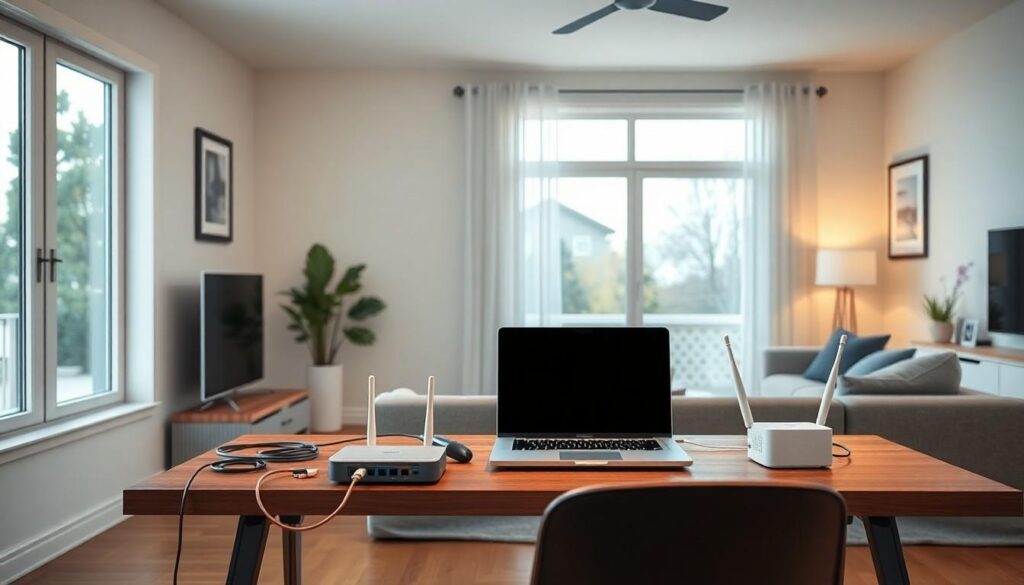
Home networks primarily fall into two categories: wired and wireless. Each type serves distinct purposes and adapts to various user needs.
Wired Networks
Wired networks connect devices using physical cables. Ethernet cables create a direct line of communication between hardware. Performance typically excels in speed and stability, making this option ideal for gaming or activities requiring uninterrupted service. Setup involves running cables through walls or floors, which can be time-consuming but results in reliable connections. Many consider wired networks advantageous for homes with multiple devices needing high bandwidth. Devices like switches further enhance connectivity, allowing users to link multiple Ethernet-enabled gadgets efficiently.
Wireless Networks
Wireless networks, on the other hand, utilize radio waves for device connections. This setup allows for greater flexibility and mobility as users can connect from various locations without being tethered to a cable. The convenience of wireless technology appeals to many households, especially those with smartphones, tablets, and smart home devices. Signal strength varies based on distance from the router and physical obstructions, so users often find themselves needing Wi-Fi extenders to enhance coverage. Wireless networks are perfect for homes prioritizing ease of access and a simplified setup process.
Essential Networking Equipment
Understanding essential networking equipment helps create an efficient home network. Routers, switches, and access points form the backbone of a reliable internet connection.
Routers
Routers act as the central hub for directing internet traffic. Various models exist, tailored for different needs. For standard homes, a dual-band router provides both 2.4 GHz and 5 GHz bands, managing multiple devices without a slowdown. Users benefit from built-in security features that protect against unauthorized access. Advanced routers offer additional functionalities, such as Quality of Service (QoS) settings for prioritizing bandwidth for gaming or streaming. Compatibility with smart home systems further enhances network functionality, ensuring a seamless online experience.
Switches
Switches expand connectivity for wired networks, providing additional Ethernet ports. These devices efficiently direct data between multiple devices on the same network. Various switch types exist, including unmanaged and managed options. Unmanaged switches require no configuration and are suitable for straightforward setups. Managed switches offer advanced features for network monitoring and control, beneficial for larger homes or specific applications. Utilizing switches enhances performance and reliability, especially for high-bandwidth tasks like gaming or video conferencing.
Access Points
Access points extend the availability of wireless networks across larger areas. Positioned strategically throughout a space, these devices prevent dead zones and improve signal strength. Access points connect to the router via Ethernet, allowing for a more reliable connection compared to repeaters. Utilizing multiple access points in larger homes enhances coverage without sacrificing performance. Some models include features like dual-band support and guest network capability, increasing flexibility for users. Adding access points enriches the overall home networking experience, accommodating the needs of multiple smart devices.
Setting Up Your Home Network
Setting up a home network requires careful planning and execution. Simplifying the process helps ensure a seamless online experience.
Connecting Devices
Connecting devices involves a few straightforward steps. Begin by identifying all devices that require internet access, such as computers, smartphones, and smart TVs. Plugging in Ethernet cables to suitable ports on the router serves wired devices effectively. For wireless connections, users should access the Wi-Fi settings on each device, selecting the appropriate network and entering the password. Organizing devices by location enhances signal strength throughout the home. Also, understanding device limitations can prevent potential connectivity issues.
Configuring Network Settings
Configuring network settings ensures optimal performance and security. First, access the router’s interface through a web browser using the router’s IP address. Change the default username and password immediately for better security. Adjusting network names (SSID) enhances user identification among multiple networks. Advanced settings, such as Quality of Service (QoS), can prioritize bandwidth allocation to important devices. Regularly checking for firmware updates also improves stability and security, safeguarding against vulnerabilities.
Troubleshooting Common Issues
Home networks can encounter various issues, but identifying and resolving them often proves straightforward.
Connectivity Problems
Connectivity problems frequently arise when devices remain disconnected from the network. Restarting both the router and the device often resolves issues. Confirming that the device is within the router’s range serves as another essential troubleshooting step. Sometimes, temporarily disabling and enabling Wi-Fi on the device helps. If problems persist, checking for interference from other electronic devices, such as microwaves, assists in identifying root causes. Moving the router to a more central location can improve signal strength. Ultimately, ensuring that the network cable is securely connected may also eliminate connectivity glitching.
Slow Network Speeds
Slow network speeds often frustrate users, especially during online activities like streaming or gaming. First, running a speed test provides insights into current performance. After that, disconnecting unused devices from the network can free up bandwidth. Updating router firmware contributes to improved performance and security. Utilizing Quality of Service settings on routers allows prioritization of bandwidth for critical devices. Sometimes, changing the Wi-Fi channel reduces interference from neighboring networks, especially in congested areas. Lastly, if speeds remain low, consider upgrading the internet plan for better performance.
Creating a reliable home network is essential for a seamless online experience. By understanding the various components and their functions, anyone can set up a network that meets their specific needs. Whether opting for wired or wireless solutions, the right equipment can enhance connectivity and performance.
Prioritizing network security and staying proactive with maintenance ensures long-term stability. With the right approach, users can navigate the challenges of home networking confidently. Embracing these basics not only simplifies the process but also empowers users to enjoy the full potential of their internet connection.